Rules on the device,
remote access through the cloud.
In Evloji, automation rules are designed to run on the devices themselves, and devices can also communicate with each other over a local wireless (mesh) link. Remote access, notifications and the AI Assistant need an internet connection.
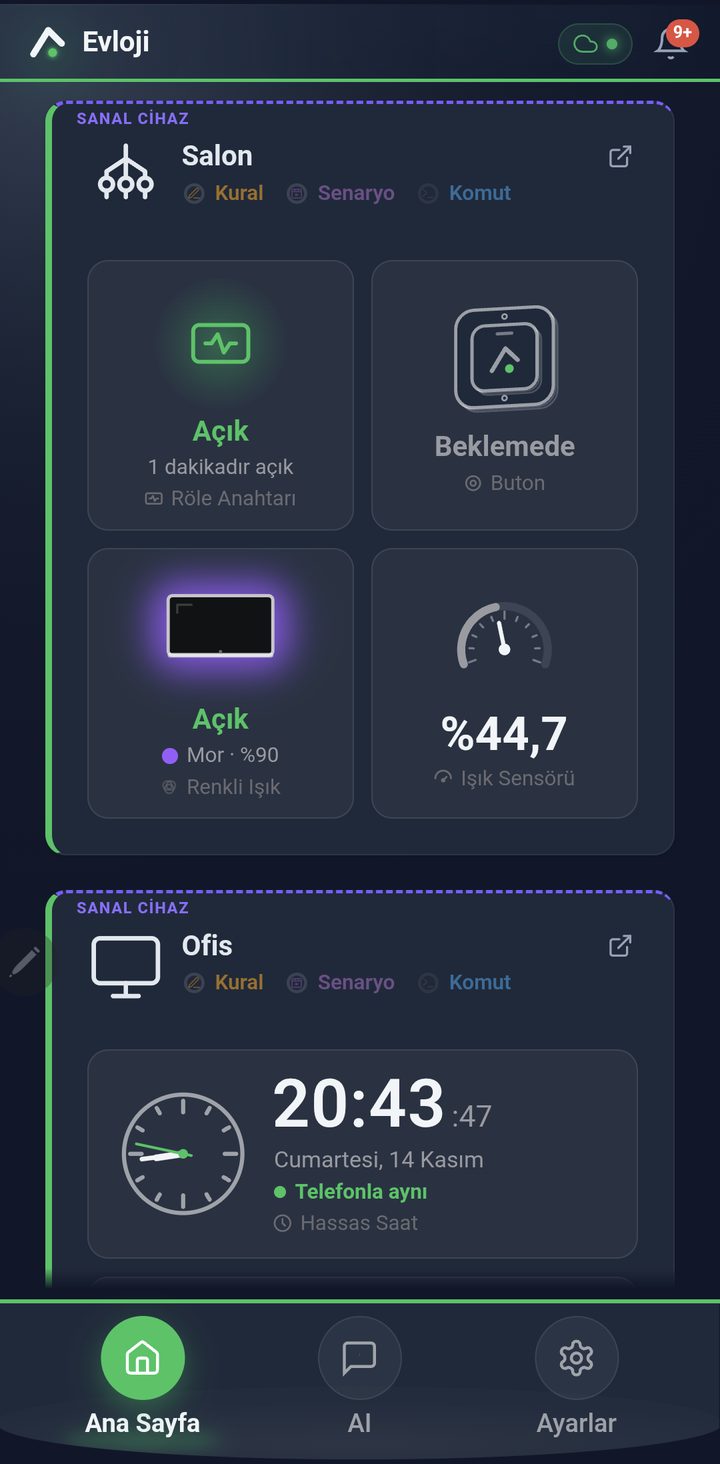
Screenshots from a development version; the final version may look different. The screenshots were taken with virtual (simulated) devices. (Turkish interface)
What a smart home needs, in one app
Monitoring, control, automation and AI in one app.
All devices on one screen
Every device has its own card: temperature and humidity, light, door, motion and relay states are shown up to date. Arrange the cards in Large or Small view and in folders.
Full screen and history
Tap a module to open it full screen: animated scenes such as a switch, a door or a lamp, swiping left and right between modules, and a history chart from 1 hour up to 2 days.
Light and relay
Colour, brightness and ready-made animations for colour light strips; brightness and effects for lighting. Switch a relay on or off, or have it switch off by itself after a set time.
Camera
Live view, photos and video on boards with a camera. The camera shows the surroundings as Active or Calm; when there is motion you can get a notification with a photo, and you can save photos to your phone. Live view, photos and notifications need an internet connection; photos are stored on a server for a limited time. The camera is designed not to be shared with others when you share a device. Evloji is not a security or alarm system; notifications depend on the internet connection and your phone's settings and may be delayed or not delivered.
No-code automation
Set up rules, scenes and commands with step-by-step wizards: time (including prayer times), sensor and comparison conditions, AND / OR, what to do when the conditions stop being met, and Test before saving.
AI Assistant
Ask and control by typing or speaking: “What is the temperature in the bedroom?”, “Turn off the living room light”. Rules and scenes it prepares are added, by default, when you tap Save; you can turn on automatic adding in Settings. The AI Assistant needs an internet connection.
Notifications
Switch notifications on or off by category. You can set quiet hours and keep notifications you mark as critical outside them.
Sharing and backup
Share a device or a folder by invitation, choosing the permission and the duration. Back up your settings and device configuration manually or automatically.
Get started in four steps
Add the device
The setup wizard finds the device and connects it to your home network; the device appears on the home screen with its own card. Creating an account and setup need an internet connection.
Monitor and control
Follow temperature, humidity, light, door and motion states; control relays, lights and the buzzer with a single tap.
Set up automation
Create rules and scenes with the wizard and try them with Test. Rules are written to the device and are designed to run on the device.
Ask the AI Assistant
Ask the AI Assistant questions by typing or by voice, and have it prepare rules. Manage your notification and backup preferences in Settings.
Screens from the app
Home screen, full-screen modules, camera and the automation wizard.
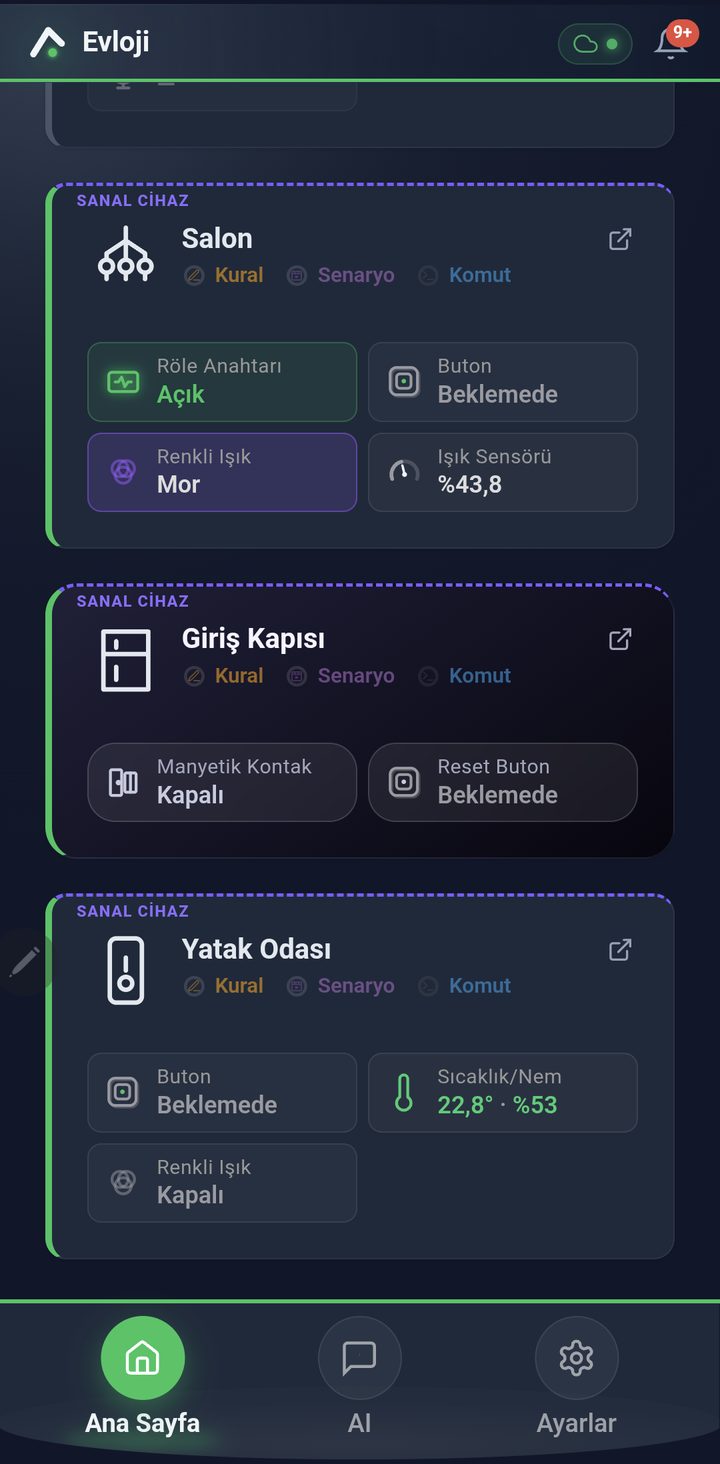
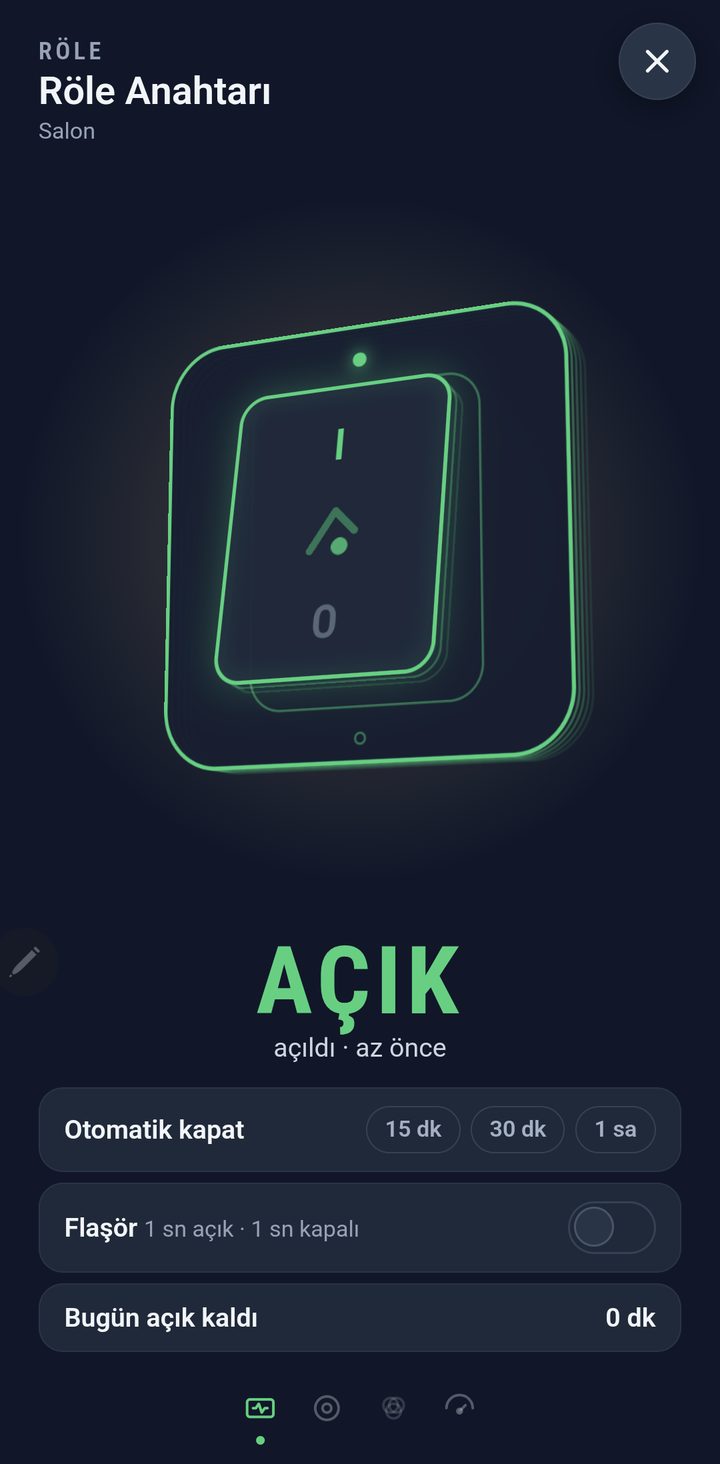
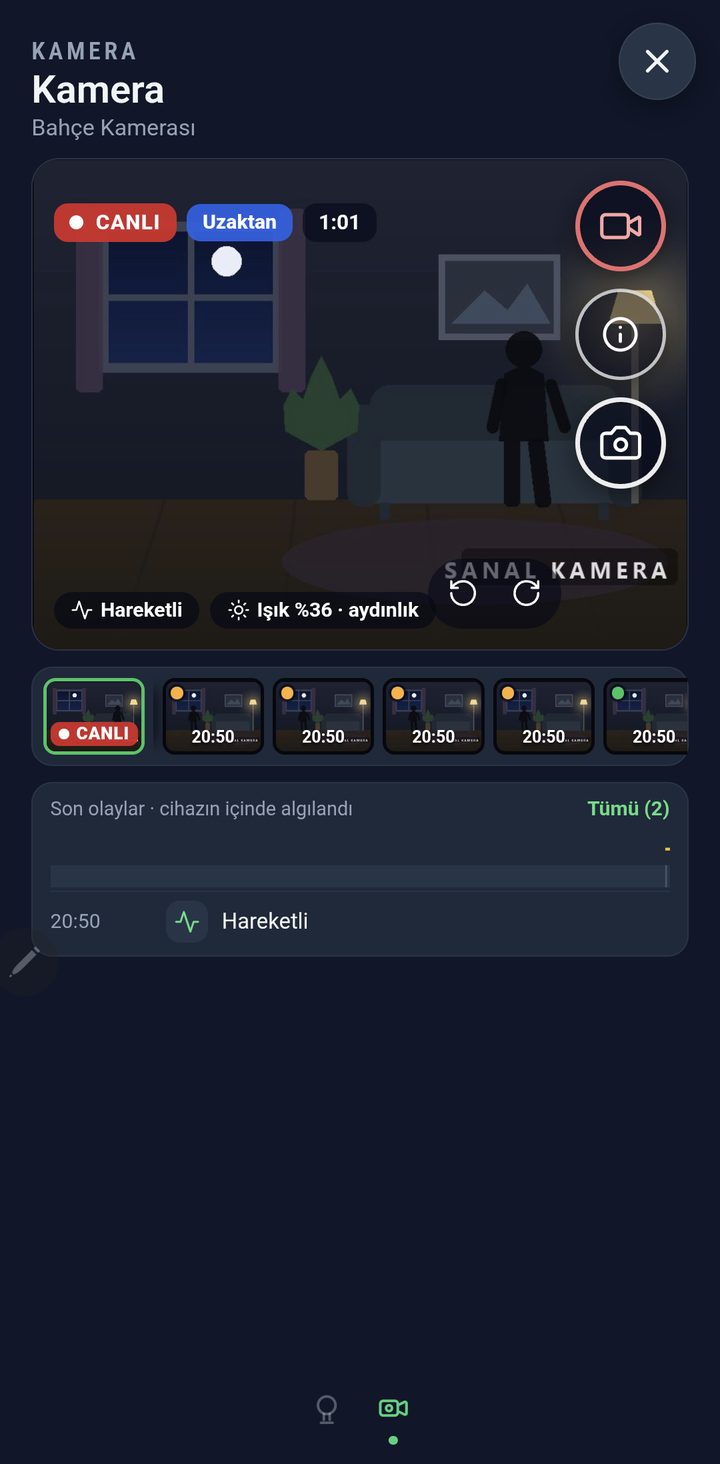
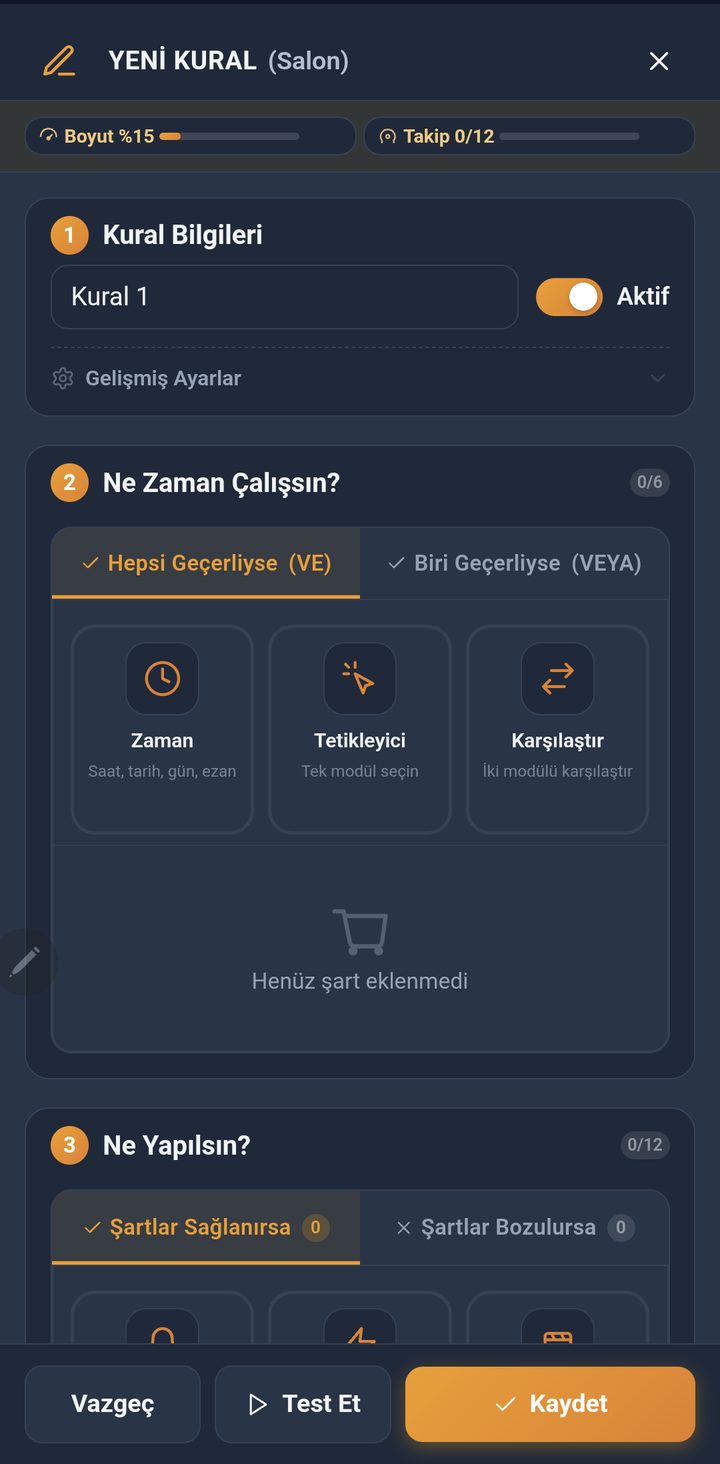
Screenshots from a development version; the final version may look different. The screenshots were taken with virtual (simulated) devices. (Turkish interface)
One app, many modules
A board can have several modules; all of them appear on the same home screen.
Sensors
- Temperature and humidity
- Analogue sensor (light etc.)
- Motion sensor
- Contact sensor (door, window)
Lighting
- Colour light strip
- Lighting (brightness, effects)
- Status light
Switching and input
- Relay switch
- Button (single, double, long press)
Camera and sound
- Camera
- Buzzer (melodies)
Time
- Precision clock
- Auto on / off timer
Supported boards
- ESP8266
- ESP32-C3
- ESP32-CAM
Evloji is not a security or alarm system; door, motion and camera notifications are for information only and, depending on the internet connection, power and your phone's settings, may be delayed or not delivered.
Evloji is currently being prepared for users in Turkey only.
Ask your home
Ask by typing or speaking: find out the state of your devices, switch lights on and off, have it prepare rules. Rules and scenes are added, by default, when you tap Save; you can turn on automatic adding in Settings.
The AI Assistant is a cloud service and needs an internet connection; your request and the related device information are sent to AI service providers. Usage limits and conditions will be explained before sale. Details are in the Privacy Policy.
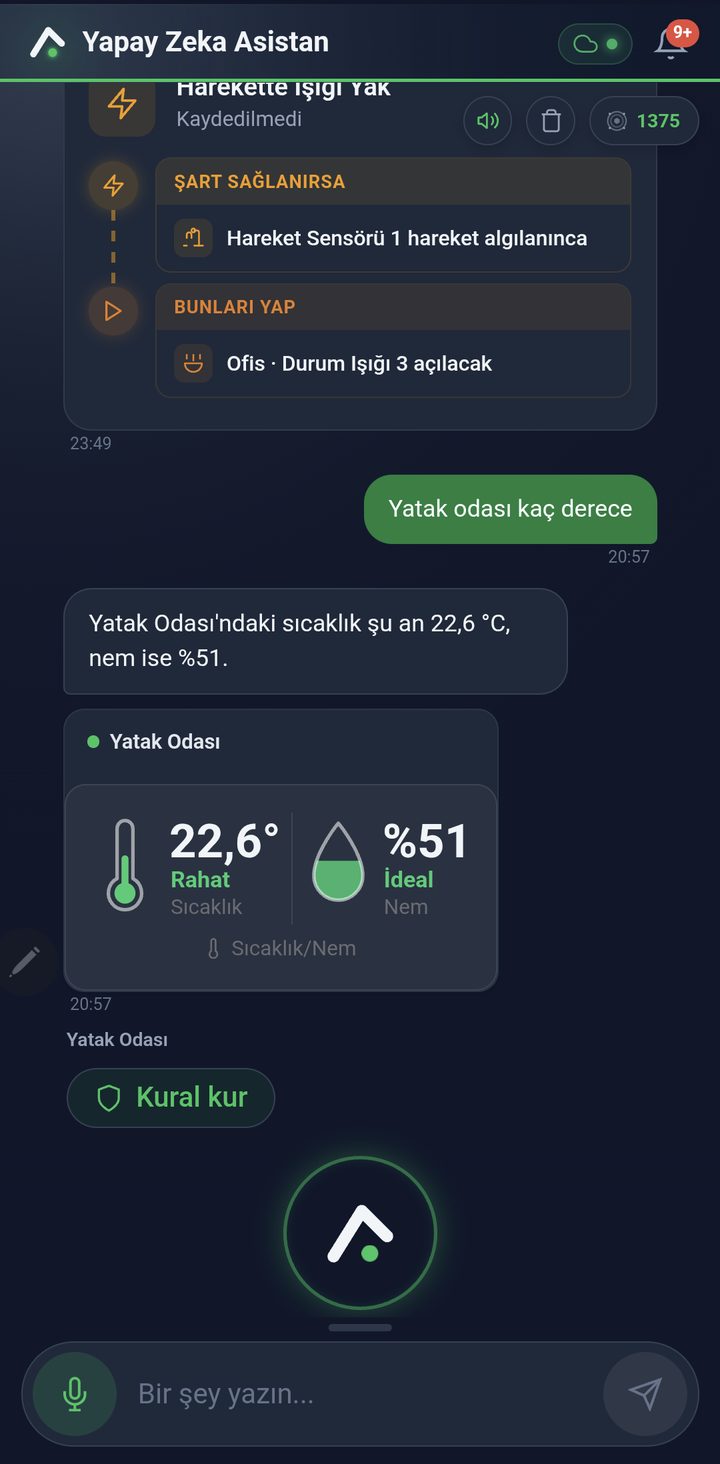
Home-centred design
Rules on the device, backups in your hands, a layout that suits you.
Rules on the device
Automation rules and scenes are designed to run on the device. The cloud indicator in the top bar shows the connection status, and when a device is offline this is marked on the chart too.
Backups in your hands
You can back up your settings and device configuration manually or automatically.
Your devices, your rules, your home
You set up your own automations with no-code wizards, share devices and adjust the look (theme, card size, name and icon) to suit you.
Questions you may have
Manage the devices in your home from one app
Discover Evloji: a smart home platform whose rules are designed to run on the device.